Desktop Usage Strip
Show quota, reset countdowns, tokens, and cost in a composer strip.
Use it when: Keep the reference image’s usage information beside your prompt.
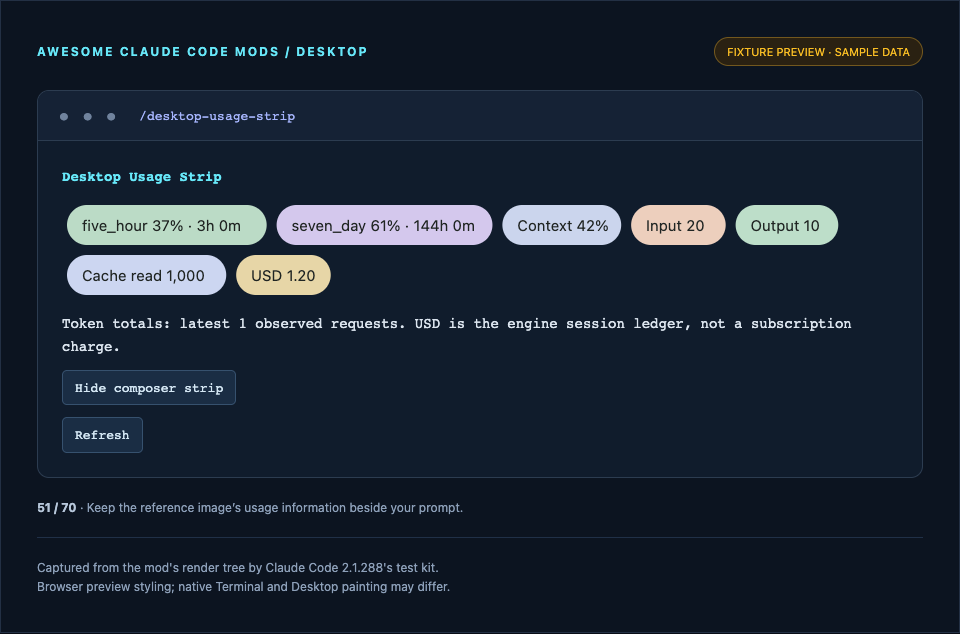
Desktop-surface native test-kit tree, painted in a browser fixture preview with sample data. This is not a Claude Desktop app capture. Provenance.
Install and open
Requires Claude Code 2.1.287+ in the Claude Desktop Code tab; tested with 2.1.288's native test kit. Chat/Cowork tabs do not host this API. WSL Desktop sessions do not support plugins. No runtime packages or build step.
Install the current checkout immediately from a terminal in this repository:
claude plugin marketplace add .
claude plugin install desktop-usage-strip@awesome-claude-code-mods
Or install the published collection:
claude plugin marketplace add whyashthakker/awesome-claude-code-mods
claude plugin install desktop-usage-strip@awesome-claude-code-mods
Start a new local Code session in Claude Desktop, or run /reload-plugins in an open Code session, then /desktop-usage-strip. Click controls or use Tab and Enter; Esc closes the pane. Non-Desktop commands return a compatibility explanation. Desktop setup and all 20 mods.
Access and behavior
Reads reported session usage; missing figures remain labeled not reported. No pricing guesses or subscription billing calculation. Observes the latest 30 API requests in memory. Draws a composable AbovePrompt band on Desktop where the host exposes it; the command pane always offers the full display. Refreshes countdowns every minute.
Histories begin at load and reset on reload; no earlier activity is reconstructed. Store keys use the workspace directory; saved items are local to this plugin. Files/processes use session cwd. Stored content and clipboard exports can contain private information. No model calls, automatic prompt submissions, or permission approvals.
Verify
claude plugin validate mods/desktop-usage-strip --strict
claude plugin test mods/desktop-usage-strip
Native tests cover command opening, pane isolation, Desktop controls at two widths, unsupported surfaces, error/empty states, and preview capture. These checks validate element trees and callbacks; native Desktop painting and keyboard acceptance remain a manual check. Validation.
MIT licensed, with source and tests included.